# 安装
# 1. 上传 hbase-2.3.0-bin.tar.gz 到指定目录
# 2. 解压、修改所有者
[leichu@big002 ~]$ sudo tar -xzvf hbase-2.3.0-bin.tar.gz -C /usr/local/soft
[leichu@big002 ~]$ cd /usr/local/soft
[leichu@big002 ~]$ sudo chown -R leichu. hbase-2.3.0
1
2
3
2
3
# 3. 修改配置文件
# 3.1 修改 hbase-env.sh
export JAVA_HOME=/usr/local/jdk1.8.0_231
export HBASE_MANAGES_ZK=false
1
2
2
# 3.2 修改 hbase-site.xml
<configuration>
    <property>
        <name>hbase.rootdir</name>
        <value>hdfs://big002:9000/hbase</value>
    </property>
    <property>
        <name>hbase.cluster.distributed</name>
        <value>true</value>
    </property>
    <!-- 0.98后的新变动,之前版本没有.port,默认端口为60000 -->
    <property>
        <name>hbase.master.port</name>
        <value>16000</value>
    </property>
     <!-- hbase master的web ui页面的端口 -->
    <property>
        <name>hbase.master.info.port</name>
        <value>16010</value>
    </property>
    <!-- hbase master的web ui页面绑定的地址 -->
    <property>
        <name>hbase.master.info.bindAddress</name>
        <value>0.0.0.0</value>
    </property>
    <property>
        <name>hbase.zookeeper.quorum</name>
        <value>big002:2181,big003:2181,big004:2181</value>
    </property>
    <property>
        <name>hbase.zookeeper.property.dataDir</name>
        <value>/mnt/data/zookeeper/data</value>
    </property>
</configuration>
1
2
3
4
5
6
7
8
9
10
11
12
13
14
15
16
17
18
19
20
21
22
23
24
25
26
27
28
29
30
31
32
33
2
3
4
5
6
7
8
9
10
11
12
13
14
15
16
17
18
19
20
21
22
23
24
25
26
27
28
29
30
31
32
33
# 3.3 修改 regionservers
big002
big003
big004
1
2
3
2
3
# 3.4 软连接hadoop配置文件到hbase
[leichu@big002 ~]$ ln -s /usr/local/soft/hadoop-2.10.0/etc/hadoop/core-site.xml /usr/local/soft/hbase-2.3.0/conf/core-site.xml
[leichu@big002 ~]$ ln -s /usr/local/soft/hadoop-2.10.0/etc/hadoop/hdfs-site.xml /usr/local/soft/hbase-2.3.0/conf/hdfs-site.xml
1
2
2
# 3.5 文件分发
[leichu@big002 ~]$ xsync hbase-2.3.0
1
# 4. 启动
# 单节点启动
[leichu@big002 ~]$ /usr/local/hbase-2.3.0/bin/hbase-daemon.sh start master

[leichu@big002 ~]$ /usr/local/hbase-2.3.0/bin/hbase-daemon.sh start regionserver
[leichu@big003 ~]$ /usr/local/hbase-2.3.0/bin/hbase-daemon.sh start regionserver
[leichu@big004 ~]$ /usr/local/hbase-2.3.0/bin/hbase-daemon.sh start regionserver
1
2
3
4
5
2
3
4
5
# 群起方式
/usr/local/hbase-2.3.0/bin/start-hbase.sh
1
# 5. 检查
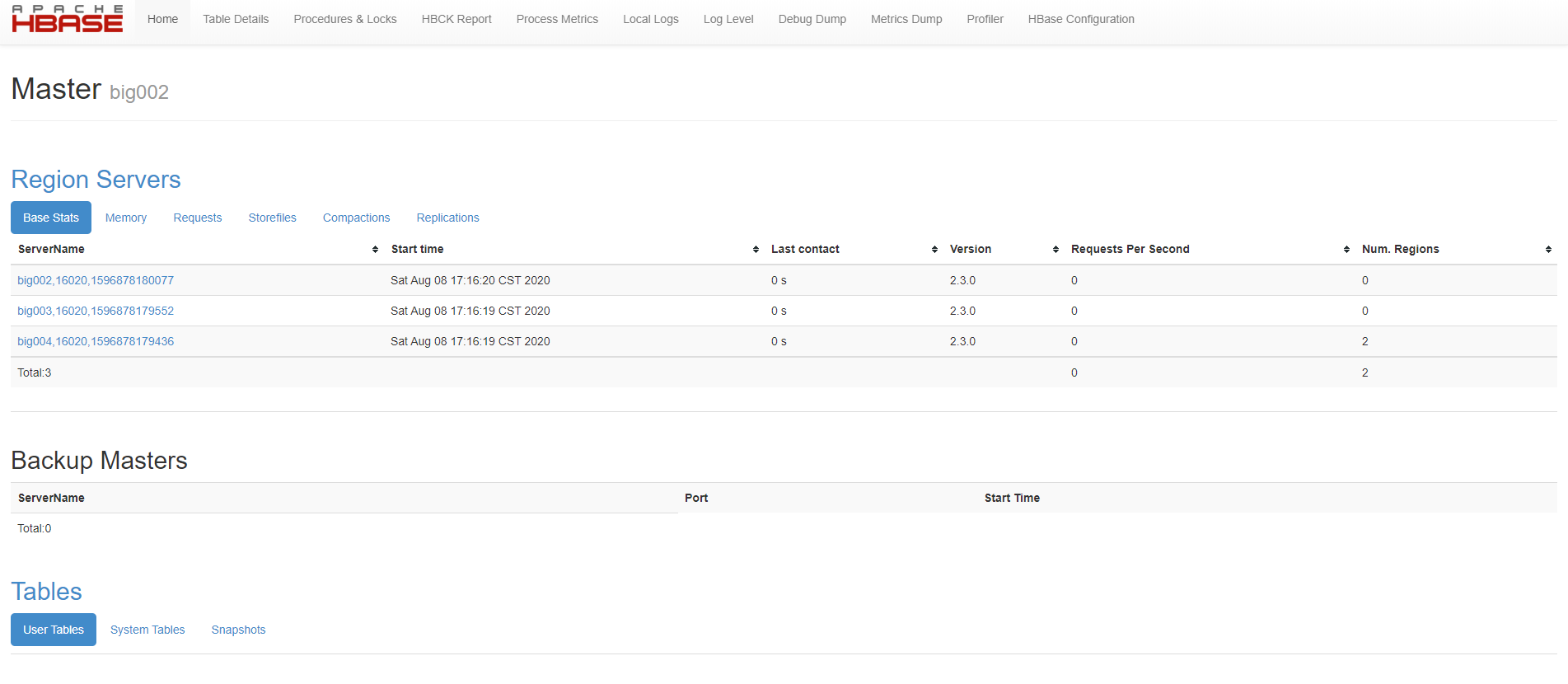
http://big002:16010/
1